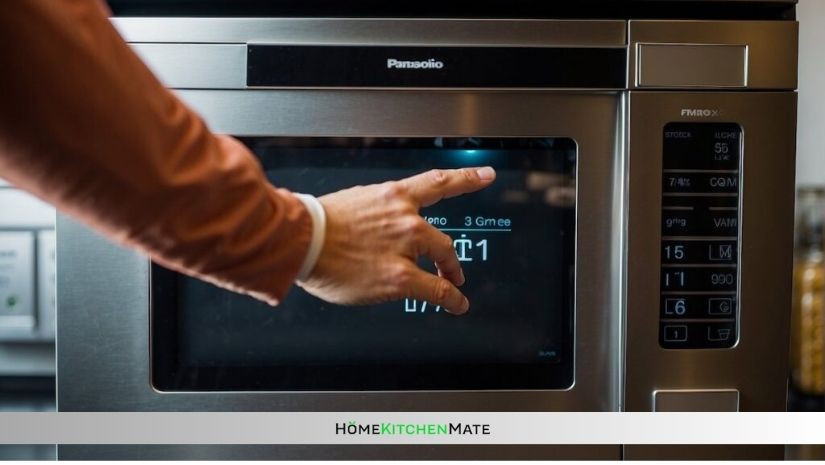
Have you ever tried to use your Panasonic microwave only to find it locked by the child safety feature? It can be really frustrating when you’re in a hurry and your microwave won’t respond.
But don’t worry—unlocking the child lock on your Panasonic microwave is simpler than you think. You’ll discover easy, step-by-step instructions to get your microwave working again quickly. Keep reading, and you’ll be back to heating your meals in no time!
Locate The Child Lock Button
Locating the child lock button on your Panasonic microwave is the first step to disable this safety feature. This button keeps the microwave safe from accidental use by children. The button can be tricky to find because it varies by model.
Look closely at the control panel. The child lock button might be marked with a small lock icon or the words “Child Lock.” Sometimes, it shares the same button as another function.
Checking your microwave’s user manual can help. It usually shows exactly where the child lock button is. If you do not have the manual, you can find it online by searching your model number.
Check The Control Panel For Lock Symbols
The child lock button often has a lock symbol. It might look like a padlock or a key.
- Look for a small lock icon near the buttons.
- Scan buttons labeled with safety or lock terms.
- Try buttons that have a secondary function with a lock sign.
Identify Multi-function Buttons
Some Panasonic microwaves use one button for several features. The child lock could be part of a combined button.
- Buttons with two labels may include the lock feature.
- Look for buttons that need to be pressed for a few seconds.
- These buttons often control both timer and lock functions.
Consult The User Manual Or Online Resources
Your microwave’s manual is the best guide. It shows precise button locations and symbols.
- Find the manual using the model number on your microwave.
- Visit Panasonic’s official website for a downloadable manual.
- Search for “child lock” in the manual’s index or table of contents.
Deactivate The Child Lock Function
Deactivating the child lock function on a Panasonic microwave is simple. This feature keeps children safe by locking the microwave controls. Sometimes, you need to turn off this lock to use the microwave again. The process usually involves pressing certain buttons or a combination.
Knowing how to deactivate this lock helps you quickly regain control. It saves time and stops frustration when the microwave does not respond. Below are clear ways to deactivate the child lock on most Panasonic microwaves.
Press And Hold The Stop/reset Button
Locate the “Stop/Reset” button on the microwave’s control panel. Press and hold this button for about 3 to 5 seconds. The child lock icon or indicator light will turn off. This means the lock is now deactivated. You can now use the microwave normally.
Use The Cancel Button To Unlock
Some models allow unlocking by pressing the “Cancel” button. Press and hold it down for 3 to 5 seconds. Watch for the child lock symbol to disappear. The microwave controls will be active again. This method works on many Panasonic microwaves.
Try The Stop/reset And Start Button Combo
Press the “Stop/Reset” and “Start” buttons at the same time. Hold both for 3 to 5 seconds. Release the buttons once the lock symbol goes off. This combination disables the child lock. It is a common method for certain Panasonic models.
Check The User Manual For Model-specific Instructions
Microwave models vary, so refer to your user manual. Look in the safety or child lock section for exact steps. Manuals provide clear guidance for your specific microwave. Following these instructions avoids damage or errors.
Troubleshooting Common Issues
Child lock on a Panasonic microwave prevents accidental use, especially by children. Sometimes the lock may not turn off easily. Troubleshooting helps solve common problems quickly. Understanding simple fixes saves time and avoids frustration.
Most issues occur due to incorrect button presses or power problems. Knowing what to check first makes unlocking easier. Follow clear steps to identify and fix common lock issues.
Checking If Child Lock Is Active
Look for a lock icon on the microwave display. It shows if the child lock is on. Press and hold the stop or cancel button for 3 to 5 seconds. The lock icon should disappear. If not, the lock remains active.
Power Interruptions Affecting Lock
Power cuts or unplugging the microwave can reset settings. Sometimes the child lock stays enabled after power returns. Unplug the microwave for 1 minute. Plug it back in and try disabling the lock again.
Button Press Timing And Sequence
Pressing buttons too quickly can fail to disable the lock. Press and hold the correct button steadily. Hold it until the lock icon vanishes. Check the user manual for the exact button to hold.
Cleaning Control Panel
Dirt or grease on buttons can cause them to stick or not respond. Clean the control panel gently with a soft cloth. Avoid using harsh chemicals. Dry the panel before trying to turn off the child lock.
Microwave Model Differences
Not all Panasonic microwaves use the same child lock method. Check your model number on the label inside the door. Search for the specific instructions in the manual. Different models may need different button combinations.
Frequently Asked Questions
How Do I Turn Off The Child Lock On A Panasonic Microwave?
Press and hold the “Stop/Cancel” or “Clear” button for 3 seconds to disable the child lock.
Why Is My Panasonic Microwave Stuck On Child Lock Mode?
Child lock activates to prevent accidental use; holding the unlock button usually clears it.
Can I Use The Microwave While Child Lock Is On?
No, the microwave will not operate until the child lock is turned off.
What Button Combination Disables Child Lock On Panasonic Microwaves?
Hold the “Stop/Cancel” or “Clear” button for a few seconds to unlock the microwave.
Does Every Panasonic Microwave Have A Child Lock Feature?
Most Panasonic microwaves include a child lock for safety, but check your model’s manual.
How To Know If The Child Lock Is Active On Panasonic Microwave?
A lock icon or a message appears on the display when child lock is on.
Conclusion
Unlocking the child lock on your Panasonic microwave is simple. Just follow the right button steps carefully. This small trick saves time and stress. You can use your microwave freely again. Always check the manual for your model’s exact instructions.
Keep your kitchen safe and easy to use. Enjoy cooking without any interruptions or worries. Practice a few times to get comfortable with the buttons. Now, your microwave works just the way you want. Simple steps, quick results, and no confusion.

Rachel Bennett is a passionate home cook, kitchen enthusiast, and the voice behind Home Kitchen Mate. With years of hands-on experience experimenting in the kitchen, she blends creativity and practicality to make cooking easier and more enjoyable for everyone.